
Retro64 Emulator
Sahlaoui MustphaArcade
4.31.00K Reviews
- Version
- 2.2.1
- Installs
- 1.00M
- Age Rating
- Everyone
Screenshots
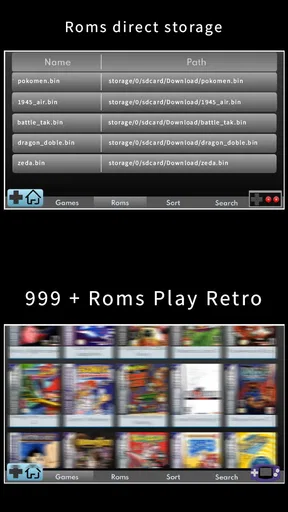
Our Review of Retro64 Emulator
 Analysis by Appyee
Retro64 Emulator is a free arcade game from Sahlaoui Mustpha that takes a different route from the usual quick-play titles. Instead of presenting a conventional score-chasing arcade experience, it is built around running 64-bit games on Android. I spent time looking at it as both an emulator and a practical way to revisit older-style gaming, and my impression is that its appeal depends heavily on what you already expect from mobile play.
The first thing to understand is that the app is not a large modern game with a carefully explained campaign. Its store summary describes it as an emulator for 64bit games, while the short description calls it Retro64 Emulator. That makes the experience more personal than a typical arcade download: the software itself is only part of the experience, and the games you use with it determine much of the satisfaction, pacing, and challenge.
It is available at no cost, carries an Everyone content rating, and works on Android devices running version 6.0 or later. The app has reached over a million installs, with an average rating of 4.3 from around nineteen thousand ratings. Those figures suggest that it has found a substantial audience, but they should not be read as a promise that every device or every 64-bit game will behave identically.
Getting started and finding an early goal
My first useful goal with an emulator like this is not simply “play everything.” A better starting point is to choose one game you already know, or one small title that does not require a long setup session. That gives you a clear way to judge whether controls, display behavior, sound, and general responsiveness feel right before you commit time to a larger library.
This is where Retro64 Emulator differs from a self-contained arcade game. There is no obvious universal opening mission that guides every player through a fixed sequence. Your early objective comes from the game you load. If you are returning to a familiar title, the goal may be to reach a level you remember. If you are exploring, it may be as simple as learning how the game reacts on a touchscreen and deciding whether the controls are comfortable enough for longer sessions.
I recommend treating the first session as a short test rather than a full evening of play. Try the same basic movement or action several times, check whether virtual controls obscure important parts of the screen, and see how quickly you can resume after leaving the app. These details matter more here than a flashy menu because an emulator succeeds through reliability and convenience.
A physical controller can also change the experience considerably. Arcade games often depend on quick direction changes, repeated button presses, or precise timing. Touch controls may be acceptable for slower games, menus, and experimentation, but they can become tiring when a title demands constant input. If your main reason for installing the app is serious play rather than curiosity, testing it with the control method you actually intend to use is essential.
There is another practical early goal: organize your expectations around compatibility. A 64-bit label does not automatically mean that every game will run smoothly on every phone. Hardware strength, Android behavior, the original game’s demands, and the emulator’s handling of that particular software can all affect the result. I would begin with a modest title, then move to more demanding games only after the basic experience feels stable.
What counts as progress in an emulator
In a traditional arcade game, progress is easy to recognize. You clear a stage, unlock an item, improve a score, or reach a new area. With Retro64 Emulator, progress is less centralized. You may make progress by learning a difficult game, reaching a new checkpoint inside it, building a dependable control setup, or creating a smoother routine for launching the titles you want to play.
That flexibility is useful, but it can also make the app feel less motivating for players who want a strong progression structure. The emulator does not provide a single shared reward path that connects every game into one campaign. Your sense of advancement comes from the software you run and from your own goals. For me, that made the experience feel closer to a personal gaming tool than a standard arcade package.
The most meaningful progress signal is therefore consistency. If a game starts more easily after you have adjusted your setup, if controls feel less awkward after practice, or if you can return to a difficult section without repeating unnecessary preparation, those improvements matter. They are not dramatic unlocks, but they make the app more useful over time.
I also found that short, repeatable sessions suit this kind of app better than unfocused browsing. Pick one title, decide what success means for that session, and stop when you reach it. That could be clearing a stage, practicing one boss pattern, or simply confirming that the game behaves well on your phone. This approach prevents the emulator from becoming a library of possibilities that you rarely actually play.
Players looking for visible unlocks should be realistic. The central attraction is access and flexibility, not a universal reward track. If your enjoyment depends on collecting badges, opening characters, or following a carefully paced sequence of goals, a conventional arcade game will probably offer stronger motivation. Retro64 Emulator is more rewarding when you like choosing your own destination.
Challenge and the shape of the difficulty curve
The difficulty curve is mainly inherited from the games you run, so it cannot be judged as one fixed climb. One title may be welcoming and forgiving, while another may expect precise timing from the first stage. That variety is one of the app’s strengths, but it also means the emulator itself cannot smooth out every rough edge in the original design.
For a fair test, I would avoid judging a game after only a few failed attempts. Older arcade-style design often uses repetition as part of the learning process. You notice a pattern, adjust your timing, and try again. On a touchscreen, however, a failure may come from an uncomfortable control layout rather than from a genuine mistake. Separating those two causes is important before deciding that a game is too difficult.
My practical advice is to change only one variable at a time. If a section feels impossible, first examine your input method. Then try a shorter session, because tired fingers can make timing feel worse. If the problem remains, the challenge may simply be part of the original game. This method helps you avoid blaming the emulator for difficulty that belongs to the title itself.
Performance stability also affects perceived difficulty. A game that responds consistently can make demanding play feel fair, while interruptions or uneven behavior can turn the same challenge into frustration. That is why I would test a title during both casual play and a longer uninterrupted attempt. A brief successful launch does not always tell you how comfortable the experience will be when you are deeply involved in a difficult section.
The app is best suited to players who enjoy learning through repetition and adjusting their approach. It is less suitable for someone who wants a gentle arcade game with a predictable difficulty curve and immediate instructions. In that situation, a purpose-built mobile title usually offers clearer onboarding and more controlled pacing.
How retention works without a shared campaign
Retro64 Emulator does not need to hold attention through a single storyline. Its retention comes from the variety of games available to the player and from the desire to improve at a particular title. That can be powerful: when one game stops feeling fresh, another style of play may bring you back. The trade-off is that the app itself may not give you a strong reason to return unless you have chosen a game and a goal.
I think the healthiest way to use it is to create a small personal rotation. Keep one game for relaxed sessions, one for focused challenge, and perhaps one that you are still learning. This gives the emulator a rhythm without turning it into a cluttered collection. It also makes it easier to notice which titles genuinely work well on your device instead of repeatedly starting games at random.
Another useful habit is to remember what you were trying to accomplish before closing the app. Emulators can encourage browsing because the next title is always tempting. A simple note about the last level, challenge, or control problem can make the next session more purposeful. This is especially helpful when you play in short breaks during the day and do not want to spend the first few minutes reconstructing your plan.
The free entry point lowers the risk of trying that routine. At the same time, in-app purchases are listed at $3.99 per item, so I would pay attention to any purchase prompt and decide beforehand whether optional spending fits your use. The most important question is not whether a purchase exists, but whether the free experience already meets your needs. For a player who only wants occasional retro-style sessions, paying may not be necessary.
Retention can also weaken when setup becomes more interesting than play. If you spend most of your time searching, configuring, and switching rather than completing a stage, the app may not be the right fit for your habits. Its flexibility is valuable, but flexibility always asks the user to make more decisions. Players who prefer an instantly playable package should consider a dedicated arcade release instead.
Everyday use, device fit, and practical trade-offs
A realistic everyday scenario is a short commute or a quiet break at home. I would choose one familiar game, launch it, play toward a specific small target, and stop rather than opening a long list of alternatives. That makes the app feel focused and avoids the common emulator problem of spending more time deciding what to play than actually playing.
For longer sessions, the phone itself becomes part of the review. Screen size affects how comfortably you can see action and place your fingers. Battery use, heat, and available storage can influence whether a demanding game remains pleasant, although those results vary by device and by the software being run. I would not assume that an older Android phone will provide the same experience as a newer model simply because both meet the minimum operating-system requirement.
The minimum requirement of Android 6.0 makes the app accessible to a broad range of devices, but compatibility is not the same as identical performance. If your phone is older, start with a brief test and avoid planning a major play session until you know how it behaves. If you use a newer phone, the extra power may help with demanding software, but it still does not remove every possible control or compatibility concern.
Compared with a standard arcade game downloaded from an app store, Retro64 Emulator offers more variety and more personal choice, but less consistency. A normal arcade game generally controls the presentation, progression, and difficulty from beginning to end. Here, the player gains flexibility but takes on more responsibility for choosing suitable games and deciding what makes a session successful.
Compared with other emulator-style tools, the important question is not only how many games you can access. Ease of use, stable input, clear navigation, and comfort during extended play matter just as much. I would choose Retro64 Emulator when its straightforward access and broad purpose match my needs, but I would choose a more specialized alternative if I required advanced configuration, highly precise control, or a polished library-management experience.
The developer, Sahlaoui Mustpha, has positioned this as an accessible arcade-oriented emulator rather than an expensive specialist product. That makes it easy to try, especially for someone curious about 64-bit gaming on Android. Still, free access should not lead you to expect that every title will feel equally refined. The quality of your experience will be shaped by the combination of app, game, device, and controls.
Who should use it and who should skip it
I would recommend Retro64 Emulator to Android users who already have a particular 64-bit game in mind, enjoy older arcade design, or want to experiment without paying an upfront price. It is also a sensible choice for players who like setting their own goals instead of following a fixed campaign. The app’s Everyone rating makes it broadly approachable, although the individual games you use can still shape the tone and suitability of your sessions.
I would be more cautious if you are new to emulation and want everything explained immediately. The learning curve is not necessarily about difficult gameplay; it is about understanding that an emulator is a platform rather than one complete game. You may need patience while you work out which titles suit your phone and which control arrangement feels natural.
I would also skip it if your priority is guaranteed plug-and-play performance, a unified unlock system, or a carefully balanced mobile progression path. A regular arcade game is the better choice when you want a clear opening, frequent rewards, and no need to think about compatibility. Retro64 Emulator is strongest for independent players who value access and experimentation more than hand-held guidance.
My progression verdict
Retro64 Emulator sustains play through self-directed goals rather than a built-in ladder of unlocks. The early objective is choosing a suitable game and making the controls comfortable. Progress appears through improved familiarity, better sessions, and deeper advancement inside the titles you run. Difficulty varies because each game brings its own design, and retention depends on whether you enjoy returning to those games rather than collecting rewards from the emulator itself.
That structure is both the app’s appeal and its main limitation. I like the freedom to decide what to play and how to measure improvement, but I would not describe it as a complete arcade progression experience on its own. It is a tool for accessing a style of gaming, and its success depends on how well that tool fits your phone and your expectations.
With a 4.3 average and more than a million installs, it is clearly not an obscure experiment, yet popularity should not replace a personal test. Install it if you have a specific use case, begin with a manageable game, and judge the experience through actual play rather than through the size of its library. The current version is 2.2.1, and the app remains free to try, with optional items priced at $3.99 each.
My honest recommendation is simple: choose Retro64 Emulator when you want a flexible way to explore 64-bit arcade gaming on Android and are willing to shape your own goals. If you want instant polish, guaranteed uniform performance, and a progression system that constantly pushes you forward, a conventional arcade game will suit you better. For patient players who enjoy discovery, practice, and personal milestones, it can be a worthwhile addition to an Android gaming setup.
Verdict
Strengths of Retro64 Emulator
- Supports many classic Nintendo 64 games with smooth performance.
- Save states make it easy to pause and resume progress.
- Customizable on-screen controls improve playability on touchscreens.
- Controller support provides a more authentic retro gaming experience.
- Lightweight app that runs well on many older Android devices.
Limitations of Retro64 Emulator
- Game files are not included and must be obtained legally by users.
- Compatibility can vary significantly between different N64 titles.
- Some games may require graphics tweaks to avoid glitches or crashes.
- Touch controls can feel cramped during fast-paced gameplay.
- Features and performance may differ between Android device models.
Other Releases by Sahlaoui Mustpha
View All
Retro Games (Arcade)
Arcade4.4
Similar Picks in This Category
View All
Subway Surfers
SYBO Games4.6

Stickman Party 234 MiniGames
PlayMax Game Studio4.6

Subway Princess Runner
Ivy4.4

Temple Run
Imangi Studios4.2

Zombie Tsunami
Mobigame SAS4.6

Stack Ball - Crash Platforms
CASUAL AZUR GAMES4.5
Frequently Asked Questions
What is Retro64 Emulator, and what platforms does it support?
Retro64 Emulator is designed to let users play selected classic console-style games on a modern mobile device, recreating the look and feel of older systems through software emulation. Before downloading, check the current store listing because compatibility can vary by device and operating-system version. It is generally intended for Android users, while iPhone and iPad availability may differ depending on the developer and region.
Does Retro64 Emulator include games, or do I need to provide my own ROM files?
An emulator is usually the software that reproduces a console environment, not a collection of copyrighted games. Retro64 Emulator may include menus, settings, and possibly legally distributed sample content, but users should not assume that commercial titles are included. If the app supports loading ROMs, only use game files that you own and have obtained legally, and review the developer’s instructions before importing anything.
How well does Retro64 Emulator perform on Android phones and tablets?
Performance depends on the device’s processor, available memory, Android version, and the particular game being emulated. On a reasonably recent phone, basic titles may run smoothly, while older or less optimized devices can experience slowdowns, audio crackling, input delay, or crashes. During testing, it is worth adjusting graphics, frame-rate, audio, and performance settings rather than assuming the default configuration is ideal.
Can I use a Bluetooth controller with Retro64 Emulator?
Controller support can make Retro64 Emulator much more comfortable for longer sessions than relying on on-screen buttons. Many Android devices recognize common Bluetooth gamepads, although button mapping and compatibility may vary. Pair the controller with your phone before opening the emulator, then check the input settings and manually remap buttons if necessary. Some games may still require touch controls for menus or special functions.
Is Retro64 Emulator safe to download and use?
The safest option is to download Retro64 Emulator from an official Google Play listing or another trusted store, rather than from an unknown APK website. Check the publisher name, recent reviews, requested permissions, update history, and privacy information before installing. Avoid modified versions that promise free games or premium features, since they may contain malware, excessive advertising, or unauthorized copyrighted content.
Play our best games!


